The Quietly Brilliant Tech of the Sony Trinitron, Explained
Why do retro gamers prize CRT TVs like the Trinitron?
On this page
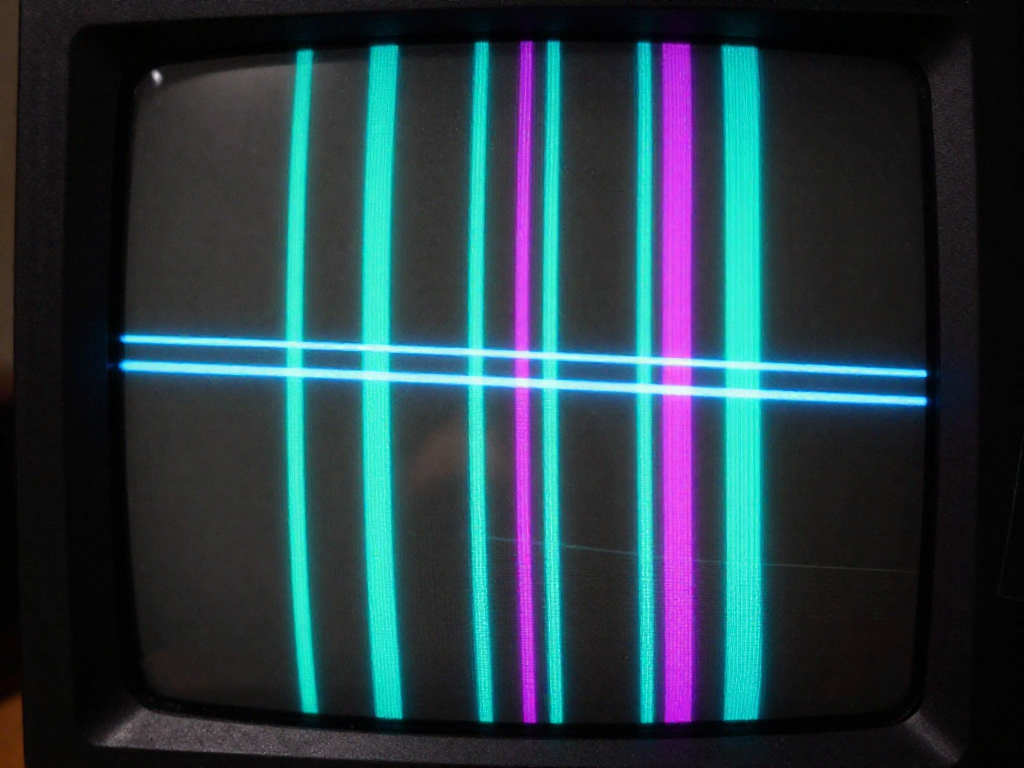
Why Retro Games Look Wrong on Modern TVs
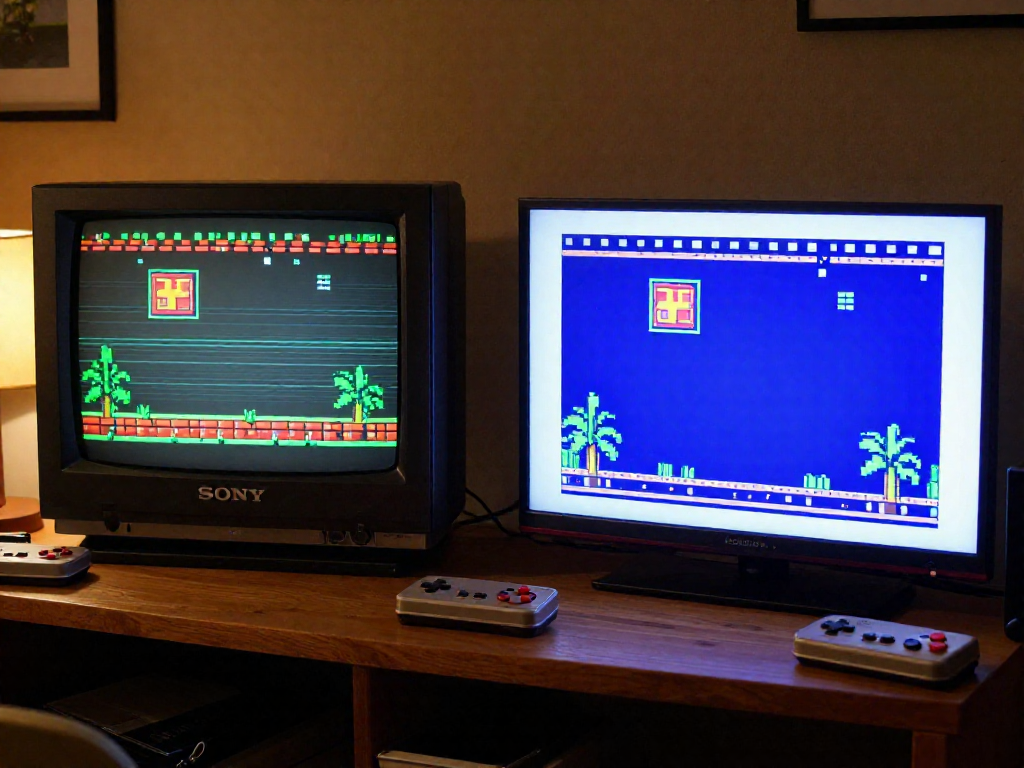
You finally dig out your old console, hook it up to your shiny 4K TV, and... something's off. The colors are there. The game runs. But it looks wrong — flat, fuzzy, and weirdly lifeless. If you've felt that little pang of "this isn't how I remember it," you're not imagining things.
Here's the secret: the games you grew up with were never meant to be seen on a modern flat screen.
Pixel artists in the '80s and '90s drew with cathode-ray tube (CRT) televisions in mind. Those old sets blended pixels together with soft scanlines and a warm phosphor glow, smoothing jagged edges and making sprites feel rounded and alive. Artists used that blur on purpose — a character's hair or a puff of smoke was designed to melt into the curve of the screen. Show that same art on a razor-sharp LCD grid and you see every hard, blocky pixel the original creators expected the TV to soften.
Then there's the feel. Modern TVs add input lag while they upscale and process the signal, so your button presses land a beat late. In timing-sensitive games — a Mega Man jump, a Street Fighter combo — that tiny delay is the difference between nailing it and eating dirt. The picture can also look "too clean," an uncanny sharpness that strips away the cozy haze your memory is attached to.
That gap between what you remember and what you're seeing is exactly why so many collectors end up chasing CRTs again. And when they do, one name comes up more than any other: Sony's Trinitron. Before you go hunting for one (we'll get to where to look and what to pay), it helps to understand why this particular TV earned its reputation — which is where the quietly brilliant tech comes in.
What Made the Trinitron Different: The Aperture Grille
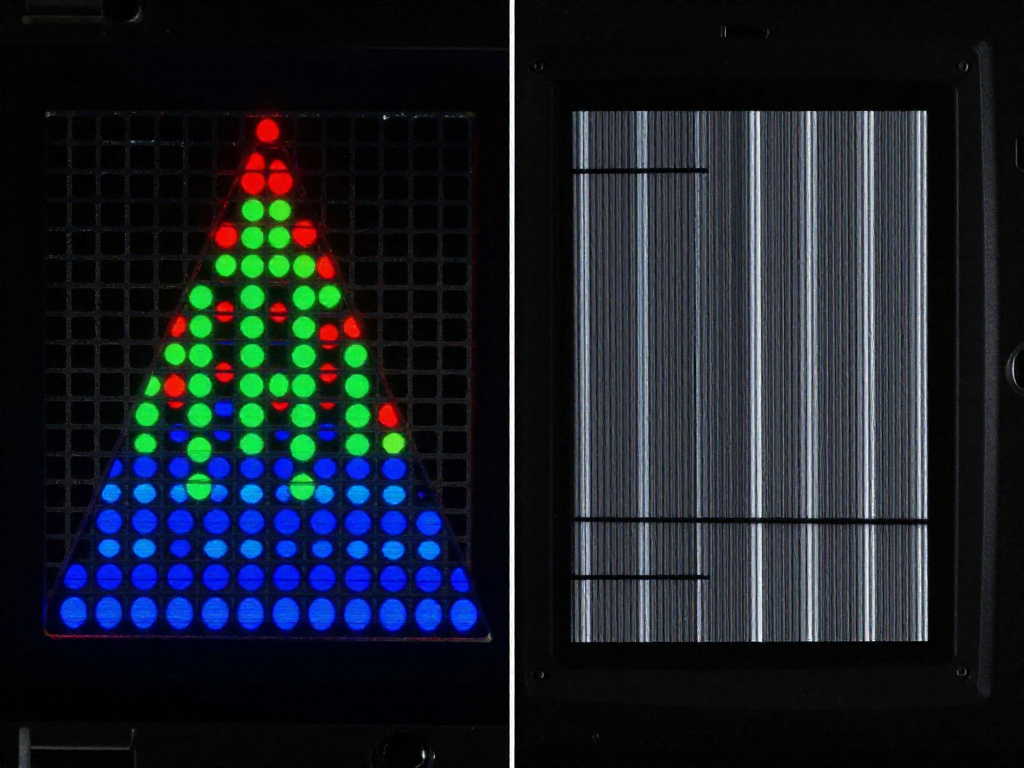
If you ever pressed your nose to a TV screen as a kid, you might remember seeing a fine grid of dots. That's a shadow mask — the technology inside most color CRTs. Picture a thin sheet of metal punched with thousands of tiny holes sitting just behind the glass. Each hole lined up three electron beams onto their matching red, green, and blue phosphor dots. It worked, but all that metal blocked a lot of light, so images could look a touch dim and soft.
Sony's engineers took a different swing in 1968. Instead of a perforated sheet, the Trinitron used an aperture grille: a series of ultra-thin vertical wires stretched tight across the screen. Because there's far more open space between wires than between punched holes, a lot more of the beam's light actually reaches your eyes. The payoff was exactly what made Trinitrons feel special — punchier brightness, deeper contrast, and colors that seemed to glow rather than sit flat.
The "Trinitron" name was a clue
The name itself hints at the second half of the trick. Most CRTs used three separate electron guns with three lenses. Sony combined them into a single gun with a single large lens that fired all three beams through one focusing system — "Trinitron" being a mash-up of trinity (three beams) and tron. One shared lens meant the beams stayed better aligned across the whole screen, so the picture looked sharper edge to edge instead of drifting soft in the corners. Combine that focus with the brighter aperture grille, and you get the crisp, vivid look retro gamers still chase today.
How to spot a real Trinitron in the wild
Here's the fun part — you can identify one with your own eyes, no model number needed. Those vertical wires need to be held perfectly steady, so Sony ran one or two horizontal damper wires across the tube to stop them vibrating. On larger screens you'll usually see two; on smaller sets, one. They show up as faint, thin horizontal lines — typically about a third of the way down from the top and a third up from the bottom.
When you're scanning a thrift store shelf or a Facebook Marketplace photo, switch the set to a bright or white image and look for those lines. People often think the TV is broken or scratched, which means Trinitrons sometimes get listed cheap by sellers who don't know what they have. Spot the damper wires, and you've found one of the quietly brilliant pieces of tech worth bringing home — often for $20 to $80 depending on size and condition.
Brightness, Color, and the Flat-Square Era
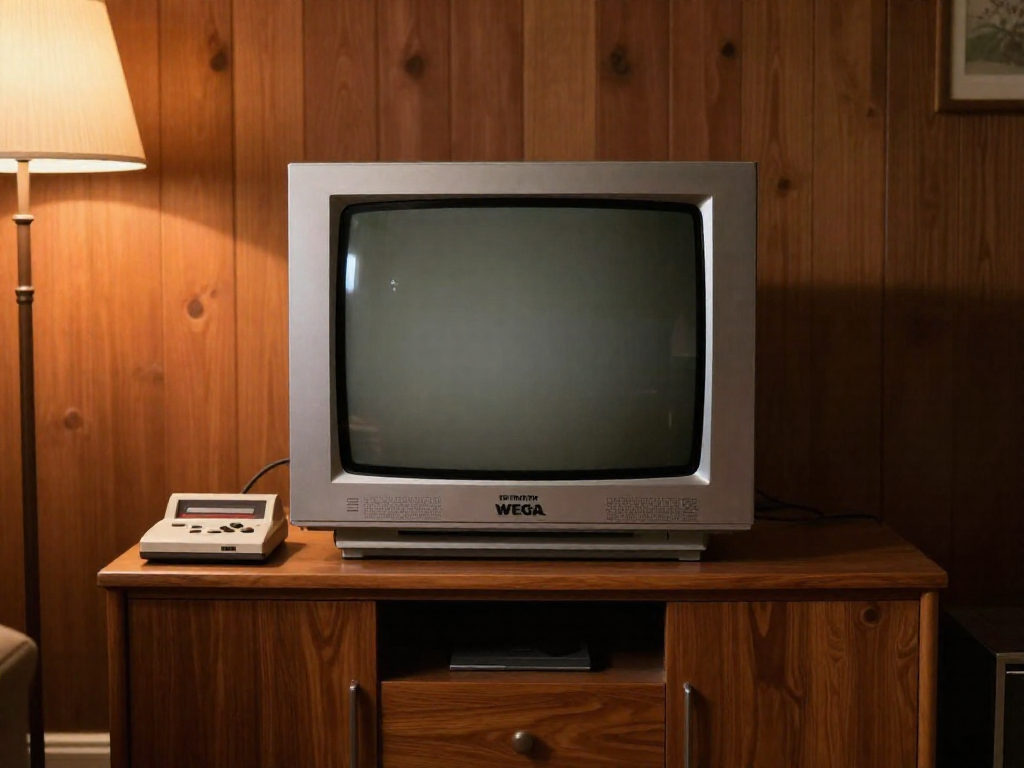
If you ever stood in an electronics store in the '90s and noticed one TV practically glowing next to the others, odds are it was a Trinitron. That extra punch wasn't your imagination. The aperture grille we covered earlier let more light pass through to the screen than the dotted shadow masks rival sets used, so Trinitrons looked brighter, with richer, more saturated color. Reds felt redder, and dark scenes held detail instead of muddying into gray. For anything with bold, blocky artwork — think a Sega Genesis title screen or a Saturday morning cartoon — that vividness is exactly the look so many of us remember.
The other big leap was the screen shape. Early Trinitrons were curved vertically but flat horizontally, a clever middle ground. Then came the FD Trinitron line and the WEGA series (Sony launched WEGA in 1998), which brought genuinely flat, square-cornered tubes. Sony marketed these as "Flat Display," and the difference was obvious the moment you sat down: less glare bouncing off the curve, and a picture that didn't bow outward at the edges.
Flatter glass also meant better geometry — the technical term for how straight your straight lines actually look. On a lot of cheaper CRTs, a game's HUD or a grid of menu boxes would gently warp near the corners. FD Trinitrons kept lines crisp and corners sharp, so a fighting-game health bar stayed level and pixel art held its shape across the whole screen.
For retro gaming specifically, all of this stacks up. Old consoles output a low-resolution signal that a CRT's scanlines and phosphor glow turn into something soft and natural, the way the artists intended. Pair that with a Trinitron's brightness, color depth, and flat geometry, and you get image quality that modern flat panels still struggle to fake. That combination — not just nostalgia — is why these sets are the ones collectors chase.
Why CRTs Matter for Authentic Retro Play
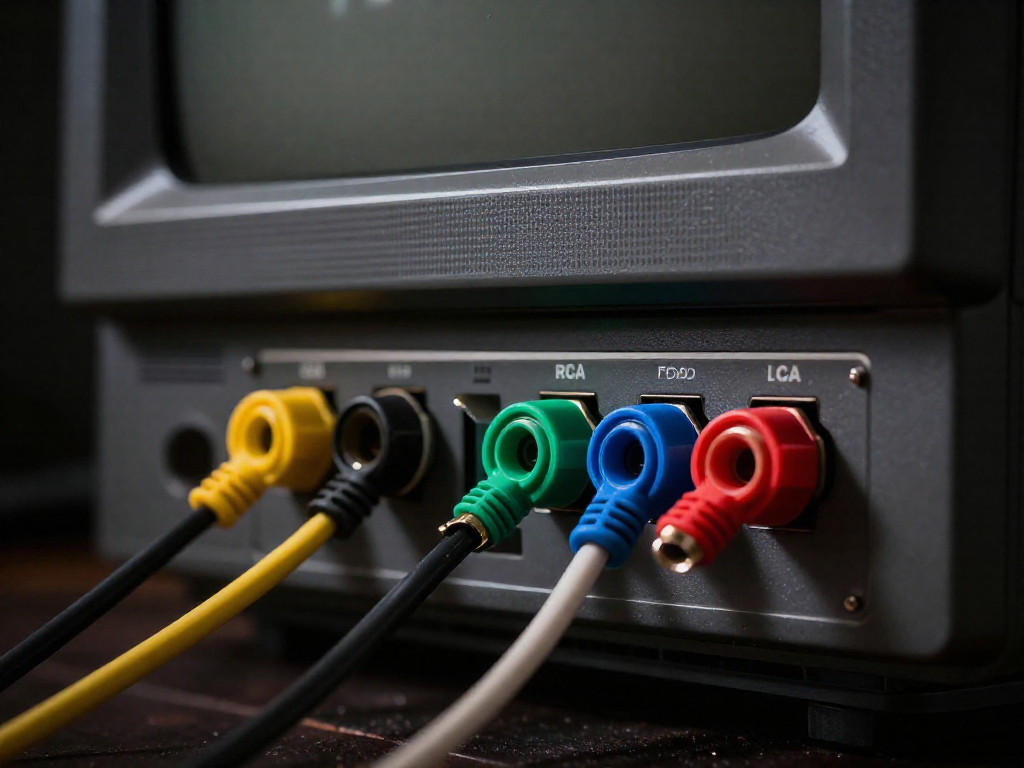
Here's the thing that surprises people who grew up on this stuff: those old consoles weren't low-resolution so much as they were designed for a completely different kind of screen. Plug a SNES into a modern 4K TV and the picture has to be scaled, processed, and reconstructed before it ever hits your eyes. A Trinitron just shows it. That difference is the whole reason a couch full of 40-somethings will huddle around a bulky tube that weighs as much as a small dog.
Input lag is basically zero. On a CRT, the image is painted onto the phosphor the instant the signal arrives — there's no buffer, no upscaler, no "game mode" trying to claw back the milliseconds it just added. For anything that lives and dies on timing, that immediacy is everything. Street Fighter combos, dodging bullet patterns in a shmup like Gradius, nailing a precise jump in Super Mario Bros. 3 — your thumbs and the screen are finally back in sync. Modern displays have gotten better, but "better" still isn't "instant."
It speaks the console's native language. Cartridge-era systems output signals like 240p and 480i that modern TVs were never really built to understand. A Trinitron handles them natively, no translation required. That means no weird stretching, no guessing-game interpolation, no menus where you fiddle with aspect ratios for ten minutes before the game even starts.
Sprites look the way the artists intended. Pixel artists in the '80s and '90s were drawing for this screen specifically. The faint scanlines and the way phosphors gently blend neighboring pixels do something a flat panel can't fake — dithered patterns melt into smooth gradients, jagged edges soften, and that "transparent" waterfall in a Genesis game actually looks transparent. On a crisp LCD you see the trick; on a CRT you see the magic.
Some games simply won't work without one. Light gun classics like Duck Hunt and Time Crisis rely on the CRT's electron beam timing to figure out where you're aiming. Point that orange Zapper at a flat-screen TV and nothing happens — the technology the game depends on isn't there.
Beginner tip: you don't need a rare 20-inch broadcast monitor to get most of this. A standard consumer Trinitron (look for the WEGA or Trinitron badge) turns up at thrift stores, estate sales, and curbside giveaways, often free to $40. Bring a console to test it, check that the picture isn't squished into the corners, and you're set.
What to Grab: A Beginner's Trinitron Buying Guide
Here's the good news: you don't need deep pockets or insider connections to land a great Trinitron. You just need to know what you're looking at. Let's break it down.
Start with the right size
For most people, the sweet spot is 13 to 27 inches. A 13- or 19-inch set is perfect on a desk for SNES, Genesis, or PlayStation sessions, and it's light enough to actually carry. A 27-inch is the living-room dream for couch co-op, but be warned — those tubes can tip 80–100 pounds. Bigger isn't always better when you're the one hauling it up the stairs.
Know your inputs
Inputs decide how good your games can look:
- Composite (the single yellow RCA jack) is the baseline. Every set has it, and it's perfectly fine to start.
- S-Video is a real step up in clarity and shows up on a lot of mid-to-late-'90s consumer Trinitrons. Grab these when you can.
- RGB / component is the holy grail, found mostly on Sony's professional PVM and BVM broadcast monitors. The picture is razor-sharp, and that's exactly why prices have shot up.
Consumer sets vs. pro monitors
A regular consumer Trinitron from a thrift store might run you $10 to $60 — sometimes free if someone just wants it gone. Professional PVMs are a different world: expect $200 to $600+ depending on size and inputs, with the most coveted BVMs going much higher. The honest truth? A clean consumer set with S-Video gets you 90% of the magic for a fraction of the cost. Don't let the PVM hype convince you that you need one to enjoy this.
Where to actually find them
- Thrift stores (Goodwill, Salvation Army) — check often, since stock turns over fast.
- Estate sales and garage sales — frequently the cheapest, and sellers are motivated.
- Facebook Marketplace and Craigslist — filter for local pickup and message quickly; good ones disappear.
- Curb finds — yes, people still put these out for free. Keep your eyes open on trash day.
Red flags before you commit
If you can power it on, do it. Watch for:
- Burn-in — faint ghost images (old news tickers, logos) baked into the screen.
- Dim or washed-out picture — often a sign of an aging tube nearing the end.
- Geometry issues — a picture that bows, tilts, or doesn't fill the screen squarely.
- Weight and transport — bring a friend, a hand truck, and a blanket. A cracked tube on the drive home is a sad way to end a good find.
Start cheap, start local, and let your eye sharpen as you go. Half the fun is the hunt.
Care, Setup, and Realistic Expectations
So you found a Trinitron. Congrats — now let's keep it (and you) happy and safe.
Never open the back. This is the one hard rule. A CRT's capacitors can hold a dangerous electrical charge for a long time even when unplugged. There's nothing in there you need to touch, so leave the housing closed and leave any internal repairs to someone who works on these for a living.
Cleaning is gentle work. For the glass, use a barely-damp microfiber cloth — never spray cleaner directly onto the screen, and skip anything ammonia-based on coated tubes. Dust the vents while you're at it, since these sets run warm and like to breathe. If you notice color blotches in the corners, that's a magnetized tube. Many Trinitrons self-degauss with that satisfying thunk when you power on; if yours doesn't clear up, a cheap handheld degaussing coil ($25–40) sweeps it away.
Hook up the best signal your set has. Check the back for inputs and use the best one available, roughly in this order: component > S-Video > composite (the yellow plug) > coax/RF. Even composite on a Trinitron beats most modern displays for old consoles, so don't stress if that's all you've got.
Make peace with the quirks. These are heavy (a 27-incher can top 80 lbs — lift with a friend), they get hot, and they're a finite, no-longer-made supply. Treat yours kindly and it'll keep glowing for years.
See also
- Best retro consoles to start a collection on a budget
- Composite vs. S-Video vs. RGB: retro console video cables explained
- Light gun games that won't work on modern TVs
- How to find vintage electronics at thrift stores and estate sales
Related articles
Quick Reference: Retro Console Release Years and Lifespans
When did the major retro consoles launch and end? A scannable timeline of release years, lifespans, and console eras for collectors.
Jun 27, 2026 · 5 min read
The Atari 2600 at Home: A Beginner's Restoration Primer
Found a dusty Atari 2600? Learn gentle, beginner-friendly cleaning and basic fixes to revive your first vintage console—no soldering or big budget required.
Jun 27, 2026 · 12 min read
A Field Guide to Spotting Fake Retro Games and Cartridges
Worried a retro game is a fake? Use this field guide to spot counterfeit cartridges, boxes, and labels with simple visual and physical tells anyone can check.
Jun 27, 2026 · 7 min read